Essential Dungeon Master Tools: Your Checklist for Running Better Dungeon Adventures
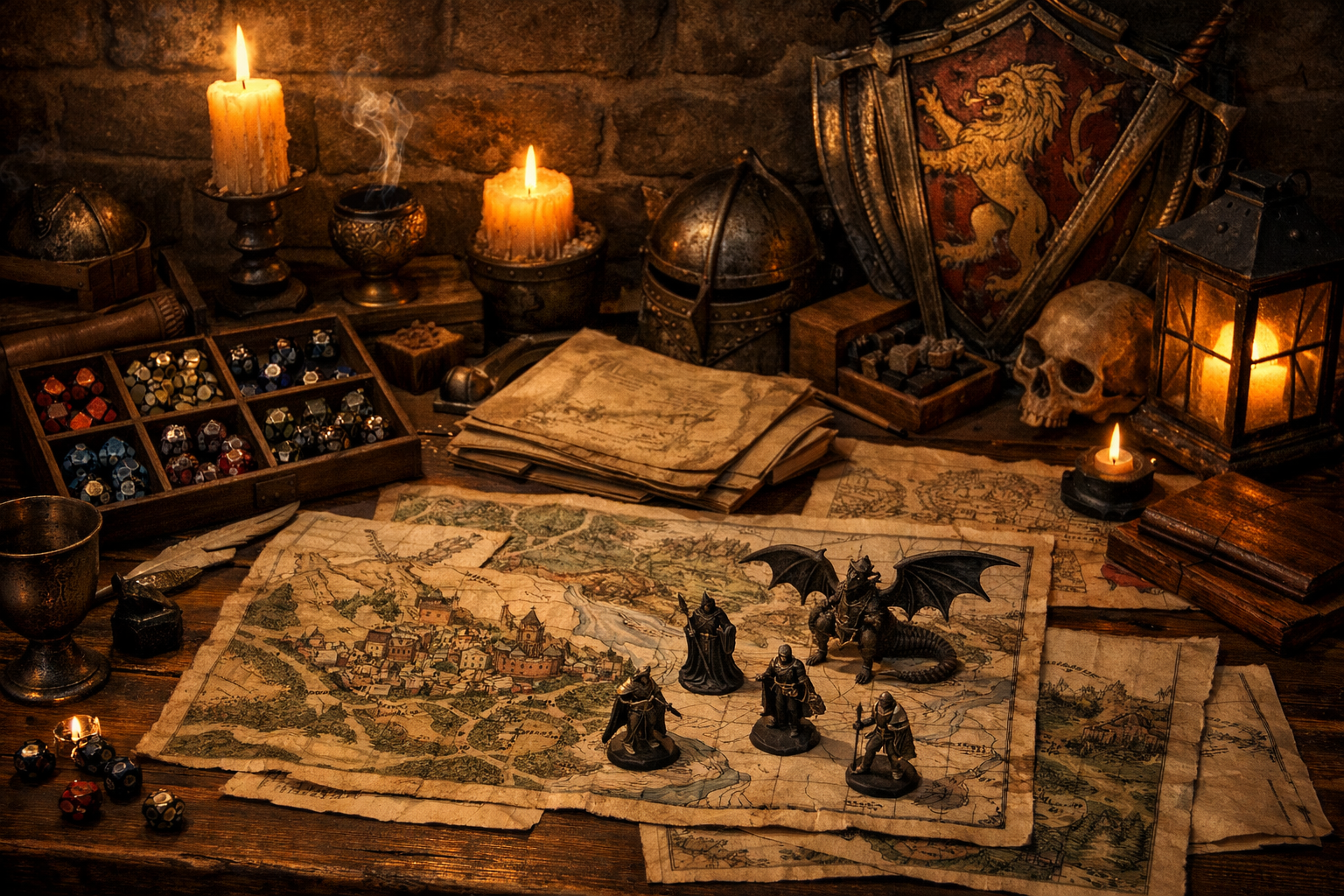
Running smooth dungeon sessions requires the right preparation and resources. This comprehensive toolkit gives you everything you need to manage exploration, combat, and player engagement.
Dungeon Masters have more tools available than ever.
Battle mats.
Virtual tabletops.
Miniatures.
Campaign-management platforms.
Digital maps.
Initiative trackers.
Ambient audio.
Random generators.
Reference cards.
Notebooks.
That variety creates a new problem:
Which tools are actually worth using?
There is no universal Dungeon Master setup.
An in-person group running mostly theater of the mind may need little more than rules access, character information, dice, and notes.
An online group exploring a complicated multilevel dungeon may benefit enormously from a virtual tabletop with fog of war and token movement.
A hybrid group might use physical dice and character sheets while displaying a digital map on a television.
The useful question is not:
"Which Dungeon Master tools are best?"
It is:
What problem am I trying to solve at my table?
This guide compares physical and digital approaches to the most common dungeon-session problems so you can build a toolkit around your actual game instead of accumulating tools you never use.
For broader tool checklists, see:
- Essential Dungeon Master Tools: What You Actually Need at the Table
- Essential Dungeon Session Toolkit: 12 Items Every DM Needs
- Essential Dungeon Crawl Props and Tools: A Game Master's Toolkit
Start With the Problem, Not the Product
Before downloading software or buying another accessory, identify the friction you are trying to remove.
Common dungeon-session problems include:
- Players cannot visualize where everyone is.
- Combat state is difficult to track.
- Rules lookups interrupt play.
- Dungeon changes are forgotten between sessions.
- Players lose track of unexplored routes.
- The DM struggles to improvise names or locations.
- Online players need a shared visual space.
- Session notes are scattered across several systems.
- Preparing maps takes too long.
- Too many tools are already competing for attention.
Different tools solve different problems.
Buying miniatures will not fix disorganized campaign notes.
Installing a sophisticated VTT will not help if your actual problem is slow rules lookup.
A soundtrack will not solve unclear encounter information.
Start with the friction.
Then choose the smallest tool that removes it.
The Minimum Dungeon Master Toolkit
You can run a dungeon without specialized equipment.
At minimum, you generally need:
- Access to the rules you are using
- Character information
- A way to resolve dice rolls
- Information about the dungeon or situation
- A way to track changes that matter
That last category could be:
- Paper
- Notebook
- Text document
- Spreadsheet
- VTT
- Campaign-management platform
Everything else is optional.
That includes:
- Miniatures
- Battle mats
- Dungeon terrain
- Dynamic lighting
- Initiative boards
- Sound systems
- Dice towers
- Custom props
- Mapping software
Optional does not mean useless.
It means the tool should earn its place.
Problem 1: Players Need Spatial Clarity
Dungeon crawling often makes geography important.
Players may need to understand:
- Which routes connect
- Where enemies are
- Where doors and hazards sit
- How far something is
- Whether a route has been explored
- Where a shortcut leads
- How to retreat
There are several ways to communicate that information.
Option A: Theater of the Mind
Best for
- Simple rooms
- Fast-moving scenes
- Groups comfortable imagining space
- Low-tactical play
- Sessions where exact positioning rarely matters
What You Need
Nothing beyond clear description.
A rough DM sketch may still help you stay consistent even if players never see it.
Advantages
- Minimal setup
- Fast improvisation
- No technology
- Easy to change the environment
- Keeps attention on conversation
Limitations
Complicated geometry can become difficult to communicate.
If players repeatedly ask:
"Wait, where is the door?"
"How far am I from the ogre?"
"Which hallway did we come from?"
then theater of the mind may no longer be the simplest option.
Use a map when it reduces confusion.
Option B: Graph Paper or Sketch Map
Best for
- Navigation
- Exploration maps
- Simple tactical scenes
- Low-cost setups
- DMs who improvise frequently
Players do not need an architecturally perfect map.
A navigation sketch can simply show:
- Rooms
- Lines for corridors
- Doors
- Stairs
- Unexplored routes
- Landmarks
A player exploration map and a tactical battle map solve different problems.
The first answers:
"Where are we?"
The second answers:
"Where exactly is everyone right now?"
Do not demand tactical precision from a navigation sketch unless your game actually needs it.
Option C: Reusable Battle Mat
Best for
- In-person tactical combat
- Frequent improvised encounters
- Groups that benefit from visible positioning
A reusable mat lets you draw only the area currently relevant.
Depending on the specific product, it may use wet-erase, dry-erase, or another marker type.
Check the manufacturer's instructions before using markers.
The wrong marker can permanently stain some surfaces.
Advantages
- Quick changes
- Low technology
- Flexible
- Works with tokens, miniatures, coins, or markers
Limitations
- Requires table space
- Large dungeons can be awkward
- Detailed maps take time to reproduce
Option D: Virtual Tabletop
Examples include:
- Roll20
- Foundry Virtual Tabletop
- Fantasy Grounds
- Other VTT platforms
VTTs may support features such as:
- Shared maps
- Tokens
- Distance measurement
- Initiative
- Dice
- Fog of war
- Lighting
- Character sheets
- Journals
- Handouts
Features vary by platform and plan.
For example, Roll20 currently reserves its full Dynamic Lighting system for Plus and Pro games, while Foundry includes configurable walls, lighting, fog, and token vision as part of its scene system.
Do not assume every VTT provides every feature for free.
Test the setup you actually intend to use.
Physical vs. Digital Mapping
| Need | Physical Option | Digital Option |
| ------------------------ | ---------------------- | -------------------- |
| Quick room sketch | Paper or battlemat | Drawing/VTT tools |
| Player navigation | Graph paper | Revealed map |
| Tactical combat | Grid + tokens | VTT |
| Fog of war | Cover unrevealed areas | VTT fog |
| Large multilevel dungeon | Binder/maps | Linked digital maps |
| Fast improvisation | Marker and mat | Simple drawing layer |
| Remote players | Difficult | VTT or shared image |
Neither approach is inherently superior.
Use the one that makes space easier to understand.
Problem 2: Combat State Is Becoming Difficult to Track
Dungeon combat can require simultaneous tracking of:
- Initiative
- Hit Points
- Conditions
- Concentration
- Environmental effects
- Round-based events
- Monster locations
- Reinforcements
- Hazards
The best tracking method is the one you can update without interrupting yourself.
Physical Initiative Tracking
Options include:
- Written list
- Index cards
- Folded cards over a DM screen
- Magnetic board
- Dry-erase tracker
A visible initiative order can help players know when their turns are approaching.
That may reduce repeated questions such as:
"Who's next?"
It does not require a specialized product.
Digital Initiative Tracking
VTTs and campaign platforms can often handle turn order automatically.
Digital tracking is especially useful when:
- Several similar enemies are present
- Conditions need icons or reminders
- Combat already occurs on a digital map
- The group plays remotely
But automation can create its own friction.
If changing a creature's condition requires six clicks, paper may be faster.
Do not automate something merely because automation exists.
Avoid Duplicate Tracking
A common tool problem is maintaining the same information in several places.
For example:
- HP in the VTT
- HP on paper
- HP in another combat tracker
Now every update must happen three times.
Choose one authoritative place for changing state whenever possible.
The fewer places you must synchronize during play, the more attention you keep on the table.
Problem 3: Rules Lookups Are Interrupting the Session
The solution is usually not memorizing the entire game.
It is improving retrieval.
The 2024 Dungeon Master's Guide includes current guidance for:
- Ability checks
- Saving throws
- Difficulty Classes
- Improvising damage
- Exploration
- Combat
- Hazards
- Traps
- Doors
- Dungeons
- Adventure creation
- Treasure
Keep the rules you use frequently easy to reach.
Physical Reference Options
You might use:
- Bookmarks
- Adhesive tabs
- DM screen
- Index card
- Printed reference sheet
Useful reference information depends on your table.
Examples include:
- Conditions
- Cover
- Common actions
- Light-source information
- House rules
- Dungeon-specific procedures
Do not fill a reference sheet with information you never use.
Digital Reference Options
Searchable rules can be much faster for:
- Conditions
- Spells
- Monsters
- Items
- Rules glossary entries
The danger is browser-tab overload.
If your "quick digital reference" requires searching through fourteen open applications, the tool has stopped being quick.
Keep authoritative sources easy to identify.
Do Not Create Universal Dungeon DCs
Avoid a reference sheet containing rules such as:
"Locked doors are DC 15."
"Dungeon traps are DC 14."
"Searching rooms is always DC 12."
Difficulty should follow the actual fictional situation and the rules being used.
You can absolutely record the DC of a specific lock, trap, mechanism, or task you prepared.
That is different from inventing one generic DC for every dungeon action.
Problem 4: You Keep Forgetting What Changed in the Dungeon
Dungeon state becomes increasingly important when exploration extends across multiple sessions.
Players may:
- Open shortcuts
- Destroy doors
- Disable traps
- Raise alarms
- Flood areas
- Kill leaders
- Release prisoners
- Make alliances
- Move treasure
- Barricade rooms
- Change faction relationships
A static map cannot preserve all of that automatically.
You need a dungeon-state record.
Physical Method
Keep a simple checklist beside the map.
For example:
Level 2 State
- North gate destroyed
- Bell alarm disabled
- Shrine guardian freed
- Goblins know intruders entered
- Western stair flooded
- Prisoners moved to Level 3
That may be enough.
Digital Method
Use:
- Text document
- Spreadsheet
- Campaign notes
- VTT journals
- Campaign-management platform
The advantage of digital notes is searchability.
The disadvantage is that they can become overcomplicated.
Track what will affect future play.
You do not need to permanently record every moved chair.
Problem 5: Session Notes Are Becoming Unmanageable
Separate planned information from actual events.
Your preparation might say:
Captain Varen distrusts the party.
But during play, the characters save his daughter.
That relationship may have changed.
Record what actually happened.
Useful categories include:
Session Events
- Important decisions
- New objectives
- Resolved objectives
- Major discoveries
NPCs
- Relationship with party
- Current motivation
- Last known location
- Important promises
Locations
- Discoveries
- Damage
- Faction control
- Unexplored routes
Improvised Facts
If you invent:
"The harbor clerk is named Tessa."
write it down.
Anything established at the table becomes potential campaign continuity.
Problem 6: Your Maps Take Too Long to Prepare
You have several options before spending hours creating polished maps.
Hand Sketch
Still the fastest method for many DMs.
Use it when:
- Only you need the map
- Visual polish is irrelevant
- Layout may change
- You are still designing
Dungeon Scrawl
Dungeon Scrawl is a browser-based dungeon-mapping tool.
At the time of writing, its core features are available free without signup and include:
- Unlimited local map creation
- PNG/WebP export
- Square and hex grids
- Imported images
- Isometric mapping
- Local
.dsfiles
Its paid tier adds additional project, export, library, texture, and lighting features.
This makes it particularly useful when you want clean dungeon maps without committing to a large software workflow.
Dungeondraft
Dungeondraft is a dedicated desktop mapmaking application with features including:
- Dungeon and cave generation
- Terrain painting
- Object placement
- Lighting
- Printer-friendly export
- VTT export support
It works offline and currently uses a one-time purchase model rather than a subscription.
Dungeondraft is better suited to DMs who want more visually finished battlemaps.
Dungeon Scrawl may be faster when the primary goal is functional dungeon geometry.
You do not need both.
Choose based on the maps you actually want to make.
Problem 7: Online Players Cannot Tell What They Can See
This is where VTT-specific vision systems can become valuable.
Foundry Virtual Tabletop
Foundry supports:
- Walls
- Doors
- Fog of war
- Token vision
- Light sources
- Darkness
- Movement restrictions
Its lighting and wall systems can make dungeon exploration closely reflect character perspective.
That power requires setup.
Someone still needs to configure the walls, lights, tokens, and scene.
Automation does not eliminate preparation.
Roll20
Roll20 supports map sharing and manual reveal tools, and paid Plus/Pro games can use Dynamic Lighting for features such as:
- Line of sight
- Darkness
- Night vision
- Light sources
- Explorer Mode
As of 2026, full Dynamic Lighting is not a Free-tier feature.
If you recommend specific VTT functionality in campaign documentation, verify whether the group actually has access to it.
You Do Not Need Dynamic Lighting
Manual fog reveal can be faster.
So can simply showing the players a partial map.
Dynamic vision is useful when:
- Line of sight matters
- Dungeon exploration is spatially important
- Players enjoy discovering areas token by token
It is unnecessary when:
- Geography is simple
- Theater of the mind works
- Setup time exceeds its benefit
Problem 8: Players Need Better Visual Information
Not everything requires a battle map.
Some information is easier to understand visually.
Useful handouts include:
- Symbols
- Letters
- Maps
- Diagrams
- Puzzle components
- Family trees
- Faction emblems
- Sketches of unusual machinery
A quick drawing can communicate a complicated symbol faster than three paragraphs of description.
Accessibility Matters More Than Prop Quality
If you create handouts, prioritize readability.
Consider:
- Text size
- Contrast
- Clear typography
- Describing visual information aloud
- Avoiding information conveyed only through color
- Providing digital copies when useful
A beautiful handout nobody can comfortably read is not an effective tool.
Atmosphere should support communication rather than compete with it.
Problem 9: You Want More Atmosphere
Atmosphere tools are optional.
Common examples include:
- Music
- Ambient audio
- Lighting
- Physical props
- Terrain
- Miniatures
Use them when your group enjoys them.
Tabletop Audio
Tabletop Audio currently provides original ambient and musical soundscapes designed for games and stories.
A dungeon might use:
- Water ambience
- Cavern sounds
- Mechanical noise
- Temple chants
- Storms
- Forest ambience
Keep background audio quiet enough that everyone can understand speech.
If the soundtrack makes players repeat themselves, it is harming the session.
Physical Lighting
LED candles or adjustable room lighting can reinforce mood.
Avoid sacrificing readability.
Players still need to:
- Read character sheets
- See dice
- Read handouts
- Distinguish miniatures
Atmosphere should not turn the game table into an eye test.
Problem 10: Players Go Somewhere You Did Not Prepare
No tool can remove improvisation from tabletop roleplaying.
Good tools make improvisation easier.
Name Lists
Keep a short list of unused names appropriate to the current region or culture.
When the players suddenly ask:
"What's the stable owner's name?"
you have an answer.
Cross the name off once used.
Dungeon-Specific Random Tables
A generic random table might produce something usable.
A themed table is usually better.
For a flooded monastery, results might include:
- Waterlogged prayer book
- Broken reliquary
- Sahuagin scouting marks
- Floating candles
- Sudden current
- Collapsed icon
- Drowned pilgrim's pack
The table reinforces the place.
Generators
Generators can provide raw material for:
- NPCs
- Monsters
- Items
- Locations
- Names
- Complications
Do not treat generated output as mandatory truth.
Review it.
Adapt it.
Discard what does not fit.
A generator is a prompt source.
The Dungeon Master still maintains campaign consistency.
Modular Material, Not Randomly Relocated Encounters
It can be useful to prepare flexible material.
But avoid designing:
"Three orcs that appear in whichever room the players enter next."
unless the orcs are actually a mobile patrol.
That approach can make player route choices meaningless.
Instead, prepare flexible components that can logically appear in several contexts.
Examples:
- Wandering patrol
- Traveling merchant
- Faction messenger
- Environmental complication
- Rumor
- Escaped prisoner
The component moves because the fiction allows it to move, not because the DM wants to force prepared content into play.
Problem 11: Treasure and Rewards Are Hard to Track
Keep a simple record of:
- Where treasure begins
- What the party has actually taken
- Important keys or clues
- Magic items
- Faction rewards
- Non-monetary rewards
Not every dungeon requires a carefully engineered treasure "power curve."
Use the treasure guidance and campaign assumptions appropriate to your rules and table.
Rewards can include:
- Information
- Access
- Allies
- Maps
- Keys
- Reputation
- Faction favors
- Useful equipment
A dungeon reward does not need to be gold.
Problem 12: Too Many Tools Are Competing for Attention
This is the most important toolkit problem.
Suppose your session requires you to monitor:
- Physical notebook
- VTT
- Rules website
- Initiative app
- Campaign wiki
- Music player
- Generator
- Spreadsheet
- Messaging app
You may spend more attention operating the toolkit than running the dungeon.
Consolidation can help.
But consolidation is not automatically superior either.
One overloaded application can be harder to use than three simple tools.
Ask:
Which information must be available immediately?
Which information can wait until after the session?
Keep immediate tools in front of you.
Archive everything else.
Recommended Setup: In-Person Dungeon
A lean in-person setup might contain:
- Rules access
- Character sheets
- Dice
- Dungeon notes
- Paper or battlemat
- Tokens if positioning matters
- Initiative list
- Notebook for state changes
Optional:
- Music
- Handouts
- Terrain
- Digital rules search
- Campaign-management software
This is enough for a sophisticated dungeon campaign.
Recommended Setup: Online Dungeon
A lean online setup might contain:
- Voice/video communication
- Digital character information
- Dice roller
- Shared map or VTT
- Dungeon notes
- Initiative/combat tracker
- Campaign notes
Optional:
- Dynamic lighting
- Automated character sheets
- Integrated audio
- Macros
- Advanced vision
- Campaign database
Do not automate every rule before you have played the session.
Build complexity gradually.
Recommended Setup: Hybrid Dungeon
Hybrid play often benefits from combining physical and digital strengths.
Example:
Physical
- Dice
- Character sheets
- Miniatures
Digital
- Dungeon map displayed on a TV
- Rules search
- Campaign notes
- Initiative tracking
Another table might reverse this.
The correct hybrid setup is simply the one that reduces friction for the people actually present.
A Tool Selection Matrix
| Problem | Simplest Tool | More Advanced Option |
| -------------------- | ------------------ | --------------------------- |
| Spatial confusion | Sketch | VTT |
| Initiative confusion | Paper list | Integrated tracker |
| Forgotten conditions | Token/card | Digital condition icons |
| Rules lookup | Bookmarks | Searchable rules |
| Dungeon state | Checklist | Campaign database |
| Map preparation | Graph paper | Dungeon Scrawl/Dungeondraft |
| Remote visibility | Shared image | VTT vision/fog |
| Improvised NPC | Name list | Generator |
| Atmosphere | Verbal description | Audio/lighting |
| Campaign continuity | Notebook | Searchable campaign memory |
Start in the left column.
Move right when the additional complexity solves a real problem.
How The Dungeon Trainer Fits Into a Dungeon Toolkit
The Dungeon Trainer combines several functions that might otherwise require separate tools.
It supports human-run campaigns as well as optional AI-assisted features.
Mechanical State
For supported campaigns, the platform can manage mechanical information such as:
- Character sheets
- Dice
- Hit Points
- Conditions
- Rests
- Death saves
- XP
- Initiative and combat rounds
That can reduce duplicate tracking.
A human-run campaign does not require an AI Dungeon Master.
Campaign Memory and Codex
The platform maintains searchable campaign records involving:
- Characters
- NPCs
- Locations
- Quests
- Events
Unrevealed Dungeon Master information remains hidden from players.
That can help preserve continuity when a dungeon changes across several sessions.
Shared Transcript
Human-run multiplayer campaigns can preserve a shared transcript.
That can be useful when reviewing:
- Established facts
- NPC conversations
- Important decisions
- Previous discoveries
A transcript does not replace session notes.
It gives the DM another source when memory becomes uncertain.
Scry
Scry helps examine an upcoming scene and forecast plausible ways it might develop.
It can surface:
- Likely branches
- Complications
- Pacing risks
- Single points of failure
- Preparation considerations
For a dungeon, it might expose that your preparation assumes:
"The party enters through the main gate."
You can then consider:
- Climbing
- Sneaking
- Negotiating
- Searching for another entrance
- Retreating
- Using magic
Scry does not predict the players.
It helps identify brittle assumptions.
The Coach
The Coach provides self-contained practice scenarios and rubric-grounded feedback.
Dungeon-relevant skills can include:
- Exploration adjudication
- Pacing
- Player agency
- Encounter management
- Information clarity
- Responding to unexpected actions
That makes it more of a training tool than a replacement for table judgment.
Generators
The platform can generate:
- Monsters
- Characters
- NPCs
- Magic items
- Spells
- Locations
Use generated content as material.
The DM still decides whether it fits the dungeon and campaign.
The Dungeon Trainer Is Not a Dedicated Dungeon Mapper
The platform's campaign tools do not replace software built specifically for tactical dungeon-map creation.
If you need:
- Detailed floor-plan drawing
- Wall geometry
- VTT lighting files
- Printable battlemaps
use a dedicated mapping solution alongside it.
Different tools can coexist when they solve different problems.
Before Buying or Adding Anything
Ask five questions.
1. What problem does this solve?
Be specific.
2. How often does that problem happen?
A once-per-year problem may not justify a permanent workflow.
3. How much setup does this require?
Include learning time and maintenance.
4. Does another tool already solve it?
Avoid duplication.
5. Will I actually use it?
A simple notebook you update is more valuable than a sophisticated database you avoid.
Review Your Toolkit After the Session
Ask:
- Which tools did I use?
- Which one saved time?
- Which one distracted me?
- What information was still hard to find?
- What did players struggle to understand?
- Could anything be removed?
- Could a player manage one of these tasks?
Your toolkit should evolve with the campaign.
Do not preserve a workflow merely because it worked two years ago.
Delegate When Appropriate
Dungeon Mastering does not require one person to handle every administrative task.
Players can sometimes manage:
- Party inventory
- Exploration mapping
- Shared notes
- Initiative display
- Session recaps
- Group supplies
The DM should retain hidden information where necessary.
Everything else can be shared if the group wants.
Delegation frees the Dungeon Master to pay attention to the world and players.
Conclusion
Dungeon Master tools are valuable when they reduce friction.
They become harmful when operating the toolkit starts competing with running the game.
The best setup may be:
- Pencil
- Dice
- Notebook
Or:
- VTT
- Digital character sheets
- Searchable rules
- Campaign-management software
Or a mixture of both.
Choose tools based on the problem they solve.
Use maps when space is confusing.
Use trackers when state becomes difficult to remember.
Use digital search when rulebooks slow you down.
Use generators when you need raw material.
Use campaign tools when continuity becomes hard to maintain.
Use music and lighting when they improve atmosphere without reducing communication.
And remove anything that consistently demands more attention than it saves.
The Dungeon Master does not need the largest toolkit.
They need a toolkit they can actually operate while listening to the players.
That is the standard that matters.
Sources and Further Reading
Dungeon Scrawl. (2026). Dungeon Scrawl. https://www.dungeonscrawl.com/
Dungeondraft. (2026). Dungeondraft. https://dungeondraft.net/
Foundry Virtual Tabletop. (2026). Lighting. https://foundryvtt.com/article/lighting/
Foundry Virtual Tabletop. (2026). Walls. https://foundryvtt.com/article/walls/
Laws, R. D. (2002). Robin's Laws of Good Game Mastering. Steve Jackson Games.
Roll20. (2026). Dynamic Lighting. https://pages.roll20.net/dynamic-lighting
Shea, M. E. (2018). Return of the Lazy Dungeon Master. Sly Flourish.
Tabletop Audio. (2026). Tabletop Audio. https://tabletopaudio.com/
Wizards of the Coast. (2024). Dungeon Master's Guide. Wizards of the Coast.
The Dungeon Trainer. (2026). Essential Dungeon Master Tools: What You Actually Need at the Table. https://thedungeontrainer.com/blog/essential-dungeon-master-tools-what-you-actually-need-at-the-table
The Dungeon Trainer. (2026). Essential Dungeon Crawl Props and Tools: A Game Master's Toolkit. https://thedungeontrainer.com/blog/essential-dungeon-crawl-props-and-tools-a-game-master-s-toolkit
Related reading
- Five Weeks in the Sunken Archive: Lessons from a Real Dungeon Crawl Campaign
A five-session dungeon crawl through a flooded library taught valuable lessons about pacing, player agency, and adaptive design. Discover what worked, what failed, and how these insights can improve your own adventures.
- Random Dungeon Generation vs. Hand-Crafted Design: Which Approach Works Best?
Random generation offers speed and surprise while hand-crafted dungeons provide narrative control. Compare both approaches to find the right balance for your table and campaign style.
- Pacing and Flow: Designing Dungeon Sequences That Keep Players Engaged
Dungeon pacing controls tension, energy, and player satisfaction throughout your adventure. Master the rhythm of encounters, rest, and discovery to create engaging underground experiences.