Essential Dungeon Master Tools and Resources Every Game Master Should Have
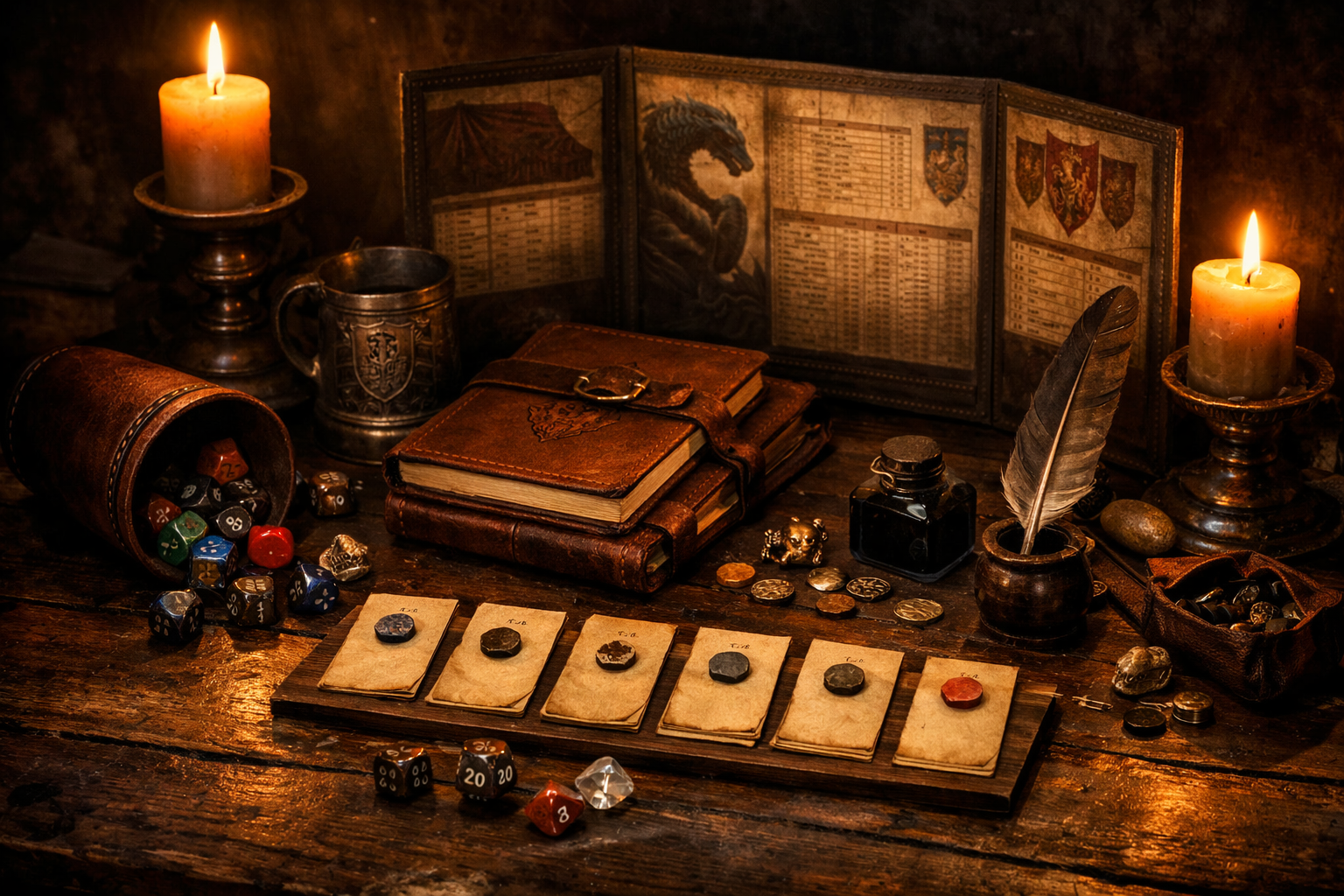
The right tools help Dungeon Masters run smoother sessions and focus on storytelling. Discover the essential physical and digital resources that improve preparation, organization, and gameplay.
The right tools can help Dungeon Masters prepare efficiently, preserve campaign continuity, find information quickly, and spend less attention on administrative work during play.
That does not mean every Dungeon Master needs the same collection of books, software, accessories, or organizational systems.
A useful toolkit solves specific problems.
If your combat tracking is already effortless, you may not need a specialized initiative application. If your campaign has three important NPCs, you probably do not need an elaborate relational database. If music distracts your group, an audio setup adds complexity rather than value.
This guide covers physical tools, digital resources, organizational methods, and optional enhancements that can support game mastering. Treat it as a menu rather than a shopping list.
The best toolkit is the smallest one that reliably helps you run the game you want.
Core Physical Tools for the Table
Physical tools remain useful because they are immediate, visible, and do not require switching applications or navigating menus during play.
Most are inexpensive, reusable, or easily replaced with homemade alternatives.
Screen and Reference Materials
A Dungeon Master screen can serve several practical functions:
- Concealing private notes
- Hiding unrevealed maps or creature information
- Providing quick-reference rules
- Organizing frequently used reminders
- Creating a dedicated workspace behind the screen
The screen itself is optional.
Some Dungeon Masters prefer an open table with their notes beside them. Others use a laptop or tablet as both reference library and visual barrier.
The useful part is not the cardboard screen. It is having information available where you can find it quickly.
The 2024 Dungeon Master’s Guide includes guidance on the materials used to run a game and provides several tracking sheets for organizing campaign information.
A custom reference sheet or homemade screen might include:
- Common actions
- Conditions
- Cover
- Concentration
- Frequently used Difficulty Classes
- Travel procedures
- Your campaign’s house rules
- Character-specific reminders
- Rules you repeatedly forget
Avoid filling the screen with information you rarely use.
Reference space is valuable. Give priority to material that saves time during actual sessions.
Keep the core rules accessible in whatever format works best for you.
That may mean:
- Physical rulebooks
- D&D Beyond
- The System Reference Document
- Bookmarked PDFs when legally provided
- Printed reference sheets
- A combination of physical and digital sources
Bookmark or tab the sections you consult repeatedly.
For current D&D play, useful references may include:
- D20 Tests
- Combat procedures
- Conditions
- Spells
- Equipment
- Exploration rules
- Encounter guidance
- Creature statistics
The goal is retrieval, not memorization.
Dice and Rolling Solutions
A complete set of polyhedral dice remains one of the simplest tabletop tools.
Having an extra set available can prevent delays when:
- A player forgets dice
- Several dice need to be rolled together
- A die disappears under furniture
- You want different dice assigned to different effects
A dice tray is optional but can help keep rolls contained and may reduce table noise.
Choose whether Dungeon Master rolls are normally open or hidden.
Open rolls make the actual die result visible to everyone and can create strong tension because the group knows the result is final.
Hidden rolls preserve uncertainty when the result itself might reveal information. Examples can include certain perception, deception, or random-event procedures depending on how your group runs the game.
Whether a group permits the DM to alter hidden results is a separate table-style decision, not an inherent function of rolling behind a screen.
If that practice matters to your campaign, establish expectations rather than assuming everyone shares the same view.
Note-Taking Essentials
A reliable note-taking system is one of the most broadly useful Dungeon Master tools.
It does not need to be complicated.
Useful categories include:
- Session summaries
- NPC names and relationships
- Locations discovered
- Active quests or objectives
- Faction changes
- Promises made to players
- Unresolved questions
- Rules decisions
- Ideas for future sessions
The important distinction is between what you prepared and what actually happened.
Once the players interact with the world, their decisions create campaign history.
Record those consequences.
Index cards can also be useful for:
- Initiative
- NPCs
- Encounters
- Magic items
- Clues
- Faction notes
- Locations
- Modular events
For example, when the party investigates a merchant guild dispute in Millhaven, you might prepare cards for:
Guild Master Corwin
- Suspicious of outsiders
- Knows about smuggling
- Wants to protect the guild’s reputation
Captain Yenna
- City guard officer
- Wants usable evidence
- Distrusts Corwin
Disguised Bandits
- Embedded among guild workers
- Attempt to escape if exposed
- Fight only when cornered
These cards provide enough information to run the situation without requiring full pages of notes.
Digital Tools for Preparation and Management
Digital resources are particularly useful for search, organization, automation, remote play, and maintaining information across long campaigns.
Use them where they save effort.
Do not adopt a complicated platform simply because it has more features.
Virtual Tabletop Platforms
Virtual tabletops, commonly called VTTs, combine some combination of:
- Maps
- Tokens
- Dice rolling
- Character sheets
- Fog of war
- Initiative
- Rules automation
- Journals
- Handouts
- Lighting
- Measurement tools
Popular examples include:
- Roll20
- Foundry Virtual Tabletop
- Fantasy Grounds
These products use different pricing, hosting, automation, and customization models.
Roll20 provides browser-based play and a free account option.
Foundry Virtual Tabletop uses a one-time host license and is generally self-hosted, although third-party hosting options are available.
Because pricing and features change, evaluate each platform based on its current offering rather than assuming one model applies to all VTTs.
VTTs are useful for remote games, but they are not mandatory.
A remote group can also play using:
- Voice or video chat
- Shared documents
- Theater of the mind
- A simple shared map
- Digital character sheets
- Online dice rollers
For in-person games, a VTT can still be useful.
Some groups display maps on:
- A television
- A projector
- A horizontal display
- A tablet
- A shared laptop screen
The best solution is the one that handles tasks your group finds useful without making everyone manage software they do not need.
Campaign Management Software
Long-running campaigns can generate substantial information.
Campaign-management and worldbuilding applications help organize:
- Characters
- Locations
- Factions
- Timelines
- Maps
- Lore
- Relationships
- Secrets
- Session records
Current examples include:
- World Anvil
- Kanka
- LegendKeeper
These platforms differ considerably in workflow and features.
They may be useful when you need to:
- Search large quantities of campaign information
- Link NPCs to locations and factions
- Maintain timelines
- Separate player-visible information from GM secrets
- Organize interactive maps
- Share campaign information with players
Simpler alternatives may be sufficient.
Options include:
- Google Docs
- Notion
- Obsidian
- OneNote
- A folder of Markdown files
- A spreadsheet
- A conventional notebook
Do not migrate a functioning campaign into a new platform solely because the new platform has more features.
Migration itself has a cost.
Choose the system you are likely to maintain.
Random Generators and Tables
Random generators can help when the players interact with parts of the world you did not prepare in detail.
Useful categories include:
- Names
- NPC traits
- Settlements
- Weather
- Encounters
- Treasure
- Rumors
- Tavern details
- Environmental complications
- Calendar information
Sites such as donjon provide numerous tabletop RPG generators.
Random generation works best as an input rather than an unquestioned answer.
Review the result.
Ask:
- Does it fit the setting?
- Does it contradict established information?
- Is it appropriate for the characters?
- Does it create a useful decision?
- Does it introduce something worth remembering?
You can also build campaign-specific tables.
If the characters regularly visit Millhaven’s market district, prepare a table of merchants that reflect that location.
For example:
- A dwarven toolmaker repairing damaged mining equipment
- A nervous apothecary buying unusual quantities of antiseptic
- A spice merchant quietly gathering political rumors
- A traveling bookseller carrying a stolen ledger
- A retired adventurer selling old expedition equipment
- A jeweler whose apprentice has disappeared
These results reinforce the campaign rather than generating unrelated content.
Music and Audio Enhancement
Audio is optional.
Some groups find it highly immersive.
Others find background sound distracting, particularly during complex rules discussions or for players with auditory-processing difficulties.
Use audio only when it improves your table’s experience.
Music Selection and Management
Organizing playlists by mood is often more flexible than assigning a specific song to every planned scene.
Possible categories include:
- Peaceful exploration
- Travel
- Tense investigation
- Stealth
- Low-intensity combat
- Major confrontation
- Emotional scenes
- Taverns
- Wilderness
- Horror
- Mystery
Keep the volume low enough that everyone can communicate comfortably.
If people must speak louder to compete with the soundtrack, the audio is no longer supporting the game.
Potential sources include Tabletop Audio, Incompetech, Syrinscape, and other music or ambient-sound services.
However, always check the current license before downloading, streaming publicly, including audio in recorded content, or using it commercially.
Licensing differs substantially between services.
For example:
- Tabletop Audio’s standard 10-minute ambiences are licensed under Creative Commons Attribution-NonCommercial-NoDerivatives 4.0.
- Music on Incompetech is generally available under Creative Commons Attribution 4.0 when the required credit is provided, with other licensing options available.
- Commercial audio services may operate under their own subscription and usage terms.
“Free to listen to” does not necessarily mean unrestricted use in streams, podcasts, advertisements, videos, or commercial products.
For a private home game, the practical licensing concerns may be limited. For public or monetized content, check the terms first.
Sound Effects and Ambient Noise
Ambient sound can sometimes work better than music because it establishes environment without imposing a strong emotional melody.
Examples include:
- Rain
- Wind
- Forest sounds
- Tavern crowds
- Ocean waves
- Crackling fire
- Dungeon ambience
- Machinery
- Distant thunder
Individual sound effects can emphasize significant moments:
- A door slamming
- A creature roaring
- A structure collapsing
- An alarm sounding
- A magical effect activating
Use them selectively.
If every sword strike receives a sound effect, the tool may create more work than atmosphere.
Accessibility and player preference matter here as well.
Ask the group whether background audio helps.
Organizational Systems That Scale
As a campaign grows, the problem often changes from creating information to retrieving the correct information quickly.
A scalable organization system separates what you need now from what you may need later.
Session Preparation Templates
Use a consistent structure for session notes.
A practical template might contain:
- Current Situation
- Where the party is
- What just happened
- What is immediately changing
- Character Reminders
- Current goals
- Relevant backstory
- Outstanding questions
- Important NPCs
- Motivation
- Attitude
- Information
- Current location
- Likely Locations
- Description
- Interactive features
- Threats
- Discoveries
- Potential Encounters
- Objective
- Participants
- Relevant statistics
- Environmental features
- Clues and Information
- What the party can learn
- Multiple paths to essential information
- Possible Developments
- Faction reactions
- Time-sensitive events
- Consequences of delay
- Improvisation Support
- Names
- Generic statistics
- Random tables
- Natural Stopping Points
- Places where the session can end cleanly
For the Millhaven guild investigation, the template might contain:
- Corwin and Yenna’s motivations
- The warehouse district map
- Known smuggling routes
- Evidence currently available
- Bandit statistics
- Guard response if violence begins
- Which characters have personal connections to the guild
- What happens if Corwin learns the party suspects him
The template organizes possibilities without requiring a predetermined sequence.
Information Hierarchy
Organize information based on how quickly you may need it.
Immediate Access
Information required during the current scene:
- Session notes
- Relevant creature statistics
- Current map
- Initiative
- Conditions
- Active objectives
Quick Reference
Information you may need during the session:
- NPC records
- Regional maps
- Recent recaps
- Faction notes
- Character backgrounds
- House rules
Archive
Information unlikely to be needed without advance warning:
- Distant history
- Retired characters
- Completed storylines
- Old session notes
- Unvisited regions
- Deep setting lore
Do not interpret specific access times as requirements.
The principle is simply that frequently used information should be easier to reach than archival material.
Bookmark and Tab Systems
Physical books benefit from useful tabs or bookmarks.
Possible categories include:
- Combat
- Conditions
- Spells
- Equipment
- Encounter rules
- Current monsters
- Current adventure locations
- House rules
Do not over-tab a book until every page becomes equally difficult to find.
Digital references can benefit from:
- Bookmarks
- Search
- Linked tables of contents
- Browser folders
- Saved URLs
- Pinned tabs
PDF functionality varies by publisher and file, so use embedded navigation when it is available rather than assuming every PDF includes it.
A Minimal Starting Toolkit
A new Dungeon Master does not need a large collection of specialized products.
A functional starting toolkit might include:
- Access to the rules you are using
- A method for rolling dice
- Character sheets
- A place to record campaign notes
- A simple initiative method
- The adventure or session notes
- Basic writing materials or their digital equivalent
Everything else is optional.
A screen is optional.
Miniatures are optional.
A dice tray is optional.
Music is optional.
A campaign-management application is optional.
A VTT is optional for many forms of play.
Random generators are optional.
Begin with the minimum required to run your game.
Add a tool when you notice a recurring problem.
For example:
Problem: You repeatedly lose track of initiative.
Potential solution: Initiative cards or a tracker.
Problem: You cannot remember improvised NPC names.
Potential solution: Name list plus session notes.
Problem: Players repeatedly forget where they have been.
Potential solution: Shared map or campaign journal.
Problem: Your notes are too slow to search.
Potential solution: Searchable digital campaign records.
Problem: Remote combat positioning is unclear.
Potential solution: A VTT or shared digital map.
Tools should follow problems.
Problems should not be invented to justify tools.
Tools That Support Your Style
Different Dungeon Masters need different forms of support.
If improvisation is difficult, useful tools may include:
- Name lists
- Random tables
- NPC motivations
- Generic statistics
- Modular complications
If organization is difficult:
- Session templates
- Searchable notes
- Campaign databases
- Timelines
- Relationship maps
If tactical combat management is difficult:
- Initiative trackers
- Condition markers
- Automated character sheets
- VTT combat tools
- Quick creature references
If visual description is difficult:
- Maps
- Character portraits
- Location art
- Reference photographs
- Short sensory prompts
If rules retrieval is difficult:
- Bookmarks
- Reference sheets
- Digital search
- Rules indexes
The Millhaven guild scenario demonstrates the difference.
A Dungeon Master comfortable improvising dialogue may need only one sentence describing Corwin’s motivation.
A visually oriented DM might benefit from portraits and a relationship diagram.
A rules-focused DM may want the likely combat statistics available immediately.
Another DM might prefer only the bandits’ goals and use familiar generic statistics if violence develops.
None of these methods is automatically more advanced.
The useful method is the one that reduces your cognitive workload without making the session harder to run.
Maintaining and Updating Your Resources
A toolkit becomes less useful when it contains outdated rules, broken links, duplicate notes, abandoned applications, and files you can no longer find.
After a session, update important information while the events remain reasonably fresh.
Record:
- What actually happened
- New NPCs
- New locations
- Promises
- Faction changes
- Rules questions
- New player objectives
- Improvised facts that became canon
The update may take several minutes or significantly longer depending on the campaign.
There is no universal required duration.
Periodically review the tools themselves.
Ask:
- Am I still using this?
- Is this information duplicated somewhere else?
- Has the rule changed?
- Is this bookmark still valid?
- Can two trackers become one?
- Is my backup current?
- Am I maintaining a tool purely because I already invested time in it?
When rules change through errata, revisions, or edition updates, update quick-reference material deliberately.
Mark house rules clearly.
A note that does not distinguish official rules from table rules can create confusion months later.
Tools for Long-Term Campaign Success
Long campaigns benefit from records that preserve continuity.
Useful options include:
Campaign Timeline
Record major events with:
- In-world date when relevant
- Session number
- Important consequences
- Faction developments
This helps answer questions such as:
- How long has the party been traveling?
- When did the king disappear?
- How long has the villain had the artifact?
- Which events happened before the war began?
NPC and Faction Records
Track changing relationships.
Examples:
- Allied
- Neutral
- Suspicious
- Hostile
- Indebted
- Compromised
- Missing
Record why the relationship changed.
Location State
Persistent locations should reflect player actions.
Track:
- Destroyed structures
- Opened shortcuts
- Cleared areas
- New occupants
- Changed defenses
- Hidden information discovered
- Resources removed
- Faction control
Character Milestones
You may want to preserve:
- Character sheets at major levels
- Significant artwork
- Major equipment changes
- Character goals
- Relationship developments
- Memorable quotes
- Campaign screenshots
These records are optional, but they can become useful for campaign retrospectives and long-term continuity.
For the Millhaven guild storyline, you might preserve:
- The warehouse battle map
- Corwin’s final relationship with the party
- The guild’s new leadership
- The party’s decision to reform rather than dismantle the organization
- The session in which that decision occurred
Campaign history is more than statistics.
The decisions surrounding those statistics are what give them meaning.
How The Dungeon Trainer Supports Your Toolkit
The Dungeon Trainer can replace or supplement several conventional Dungeon Master tools depending on how you choose to run a campaign.
Human-Run Campaigns
Choose “I am the DM” and the human Dungeon Master retains narration and adjudication authority.
The application functions as the virtual table and handles mechanical state in code.
That includes:
- Dice
- Hit points
- Conditions
- Rests
- Death saves
- XP
- Combat rounds
A human-run campaign with no AI roles makes no model calls and does not consume the campaign’s AI allowance.
Optional AI Roles
AI assistance is opt-in per campaign.
A human Dungeon Master can assign AI to limited roles such as:
- NPC
- Co-narrator
- Rules support
A group can also leave AI out entirely.
AI Dungeon Master
Groups that want autonomous AI-led play can choose an AI Dungeon Master for solo or multiplayer campaigns.
Dice and mechanical state are resolved in code rather than invented by the language model.
Scry
Scry supports session preparation by forecasting plausible ways a scene could develop.
It provides:
- Likely branches
- Complications
- Preparation notes
- Qualitative outcome bands
The purpose is not to predict what players must do.
It helps the Dungeon Master prepare for several plausible directions.
The Coach
The Coach provides self-contained practice scenarios for Dungeon Masters and players.
The user makes a decision, reflects on the situation, and receives feedback against a defined rubric.
Generators
The platform can generate:
- Monsters
- Characters
- NPCs
- Magic items
- Spells
- Locations
Generated content can be stored in the library or added to a campaign.
Campaign Memory and Codex
Campaign information is organized into a searchable record of:
- Characters encountered
- Locations visited
- Quests
- Campaign events
Information the Dungeon Master has not revealed remains hidden from players.
These features can reduce the need to maintain duplicate campaign notes.
The Dungeon Trainer should still be treated as a tool.
Use the features that solve problems for your table and ignore the ones that do not.
The technology should support the Dungeon Master’s craft rather than become the focus of the session.
Choosing Your Toolkit
Before adding any tool, ask five questions:
- What problem does this solve?
- How often does that problem occur?
- How much work does this tool require?
- Will I actually use it during play?
- Is there a simpler solution?
A sophisticated campaign-management platform may be worthwhile for a multi-year political campaign.
A notebook may be better for a four-session adventure.
A fully automated VTT may help one online group.
Another may prefer video chat and theater of the mind.
A professional audio setup may create atmosphere at one table and become distracting technical overhead at another.
The goal is not to collect the most Dungeon Master tools.
The goal is to remove friction between the group and the game.
Start small.
Identify recurring problems.
Add targeted solutions.
Remove tools that no longer earn the attention required to maintain them.
The best Dungeon Master toolkit is the one you barely notice because it gives you the information and support you need exactly when you need it.
Sources and Further Reading
- D&D Staff. (2025, February 20). Updates in the Dungeon Master's Guide (2024). D&D Beyond.
- Foundry Virtual Tabletop. (n.d.). Frequently asked questions.
- Incompetech. (n.d.). Music FAQ.
- Kanka. (n.d.). Kanka overview.
- LegendKeeper. (n.d.). RPG campaign manager with maps, wikis, and whiteboards.
- Roll20. (n.d.). Roll20 virtual tabletop.
- Shea, M. E. (2018). Return of the Lazy Dungeon Master. Sly Flourish.
- Tabletop Audio. (n.d.). About and terms of use/license.
- Wizards of the Coast. (2024). Dungeon Master's Guide.
- Wizards of the Coast. (2025). System Reference Document 5.2.1.
- World Anvil. (n.d.). RPG campaign manager and worldbuilding tools.
- The Dungeon Trainer. (2026). What is The Dungeon Trainer?
---
Ready to build a toolkit around the way you actually run games? The Dungeon Trainer supports human Dungeon Masters with code-resolved table mechanics, campaign organization, Scry session preparation, coaching, generators, and optional AI roles. Run the table yourself, add AI only where it helps, or use an autonomous AI Dungeon Master for a separate adventure.
This work includes material from the System Reference Document 5.2.1 (“SRD 5.2.1”) by Wizards of the Coast LLC, available at https://www.dndbeyond.com/srd. The SRD 5.2.1 is licensed under the Creative Commons Attribution 4.0 International License, available at https://creativecommons.org/licenses/by/4.0/legalcode.
Related reading
- Learning from Your First Campaign: A Dungeon Master Case Study
Every Dungeon Master's first campaign teaches invaluable lessons. This case study examines what one DM learned from their opening arc, from preparation mistakes to unexpected player choices, and how those insights improve future sessions.
- Dungeon Master vs Game Master: Understanding the Difference
The terms Dungeon Master and Game Master often appear interchangeable, but understanding their distinctions helps you navigate the tabletop RPG community with confidence.
- Essential Dungeon Master Tools: What You Actually Need at the Table
From dice and screens to digital helpers and reference cards, these are the tools that make running sessions smoother and more enjoyable for everyone.