Megadungeon Tracking: Essential Tools for Long-Term Campaign Management
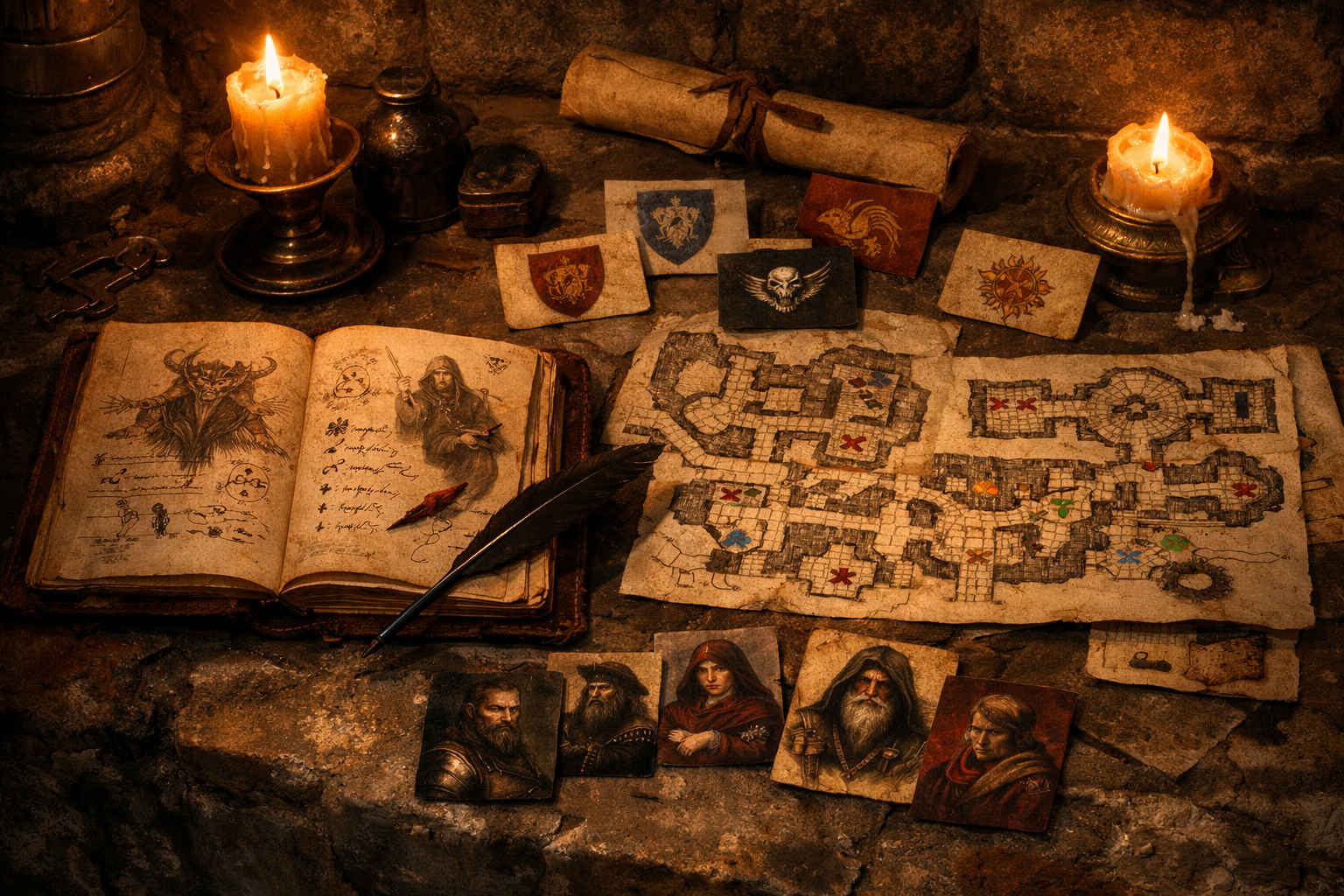
A megadungeon generates more information than any human can reliably remember. Learn what to track, what to ignore, and which tools support sustainable campaign management over dozens of sessions without drowning in busywork.
Why Megadungeons Demand Tracking Systems
A megadungeon is not a discrete adventure. It is an evolving environment that persists across sessions, remembers player actions, and grows more complex the longer it runs. A single megadungeon campaign may involve hundreds of rooms, several competing factions, emergent rivalries, shifting territorial control, and player choices that ripple outward for weeks. No Game Master can keep all of that in working memory, and no group benefits from sessions that stall while the GM flips through thirty pages of old notes trying to remember whether the dwarven prospectors negotiated a truce or the cultists claimed the abandoned temple.
Tracking is not record-keeping for its own sake. It is the infrastructure that lets you run a living dungeon without halting play every time someone asks a reasonable question about continuity. The right tracking system preserves campaign coherence, supports player agency, and reduces your cognitive load during sessions. The wrong one becomes a second job that drains the energy you need to actually run the game.
This article presents a practical toolkit for megadungeon tracking: what information to capture, what to skip, and which tools (analog and digital) support sustainable long-term play.
The Three Layers of Megadungeon Tracking
Megadungeon tracking serves three overlapping needs. Effective tools address at least one layer clearly, and the best systems integrate all three without requiring you to duplicate effort.
Layer One: Spatial Reference
Players need to navigate the dungeon, and you need to know where things are. Spatial tracking answers questions like "Which level are we on?", "How do we get back to the safe zone?", and "Where did we last see the cultists?"
This layer includes maps (both yours and the players'), keyed locations, connections between areas, and known routes. A good spatial reference lets players make informed navigation decisions and lets you quickly locate relevant content during play.
Layer Two: State and Change
A megadungeon changes in response to player action and the passage of time. State tracking answers questions like "Is this room still occupied?", "Who controls this zone now?", and "What happened the last time we were here?"
This layer includes room status (cleared, occupied, repopulated), faction movements, resource depletion, environmental changes, and the consequences of player choices. Good state tracking prevents the dungeon from feeling static or disconnected from previous sessions.
Layer Three: Campaign Memory
Long campaigns accumulate context that informs current play. Campaign memory answers questions like "What did that NPC tell us?", "Where did we hide the artifact?", and "What rumors have we heard about the lower levels?"
This layer includes NPC relationships, clues and leads, treasure found, quests accepted, and key story beats. Good campaign memory lets players build on earlier sessions instead of starting fresh every week.
What to Track (and What to Ignore)
Not all information deserves equal attention. Tracking too much creates noise that buries useful signals. Track what changes, what matters for continuity, and what players rely on for informed decisions. Ignore cosmetic details, one-time outcomes that leave no trace, and information that can be improvised on demand.
Track These Elements
Room Status. Whether a room has been explored, cleared, occupied, or repopulated. A simple notation ("explored", "cleared", "hostile", "empty") on your map or key is usually sufficient.
Faction Positions and Goals. Where factions are located, what they want, and how they respond to player actions. This can be as simple as a list of factions with one-sentence descriptions updated after each session.
Persistent NPCs. Named characters the party has met or is likely to encounter again. Track name, location, faction, one distinguishing detail, and current attitude toward the party.
Player-Discovered Routes. Paths the party has mapped, shortcuts they have found, and dangerous areas they are avoiding. This supports navigation and respects their exploration.
Key Consequences. Major changes to the dungeon state: alliances formed, factions displaced, treasure removed, traps disabled, areas flooded or collapsed. These preserve continuity and show player impact.
Active Clues and Leads. Information the party has gathered that points toward future exploration. A simple bullet list updated at the end of each session prevents threads from vanishing. Mike Shea calls secrets and clues the heart of his prep method and now recommends reviewing the last session's secrets and carrying forward any the players have not yet uncovered, rather than writing a fresh list every time (Shea, 2023).
Skip These Elements
Room descriptions you can improvise from your notes. Exact combat outcomes that leave no lasting effect. Minor treasure already looted and spent. One-off trap results. Flavor text the players did not engage with. Information you can reconstruct from your prep or that does not change player options.
The test is simple: if forgetting this detail would disrupt continuity, cause a contradiction, or invalidate a player decision, track it. Otherwise, let it go.
Toolkit: Analog Methods
Analog tools require no software, survive power outages, and impose physical constraints that prevent scope creep. They work especially well for spatial reference and quick state updates.
Index Cards
One card per room, faction, or NPC. Room cards list key features, inhabitants, and status. Faction cards list goals and current location. NPC cards list name, appearance, and attitude. Shuffle, reorder, or discard cards as the dungeon evolves. Index cards are portable, tactile, and fast to update during play.
Limitation: harder to cross-reference and search than digital notes.
Annotated Maps
Print or hand-draw your dungeon map and mark it up during play. Use symbols for cleared rooms, faction territories, known hazards, and player-created shortcuts. Color-code zones by danger level or controlling faction. Annotated maps provide instant spatial context and show change at a glance.
Limitation: messy after extended campaigns; consider making fresh copies periodically.
Session Log Notebook
A simple notebook with one page per session. After each session, write three to five bullet points summarizing key events, changes to the dungeon, and leads the party is pursuing. This creates a chronological record you can skim before the next session.
Limitation: no built-in search or organization; relies on your memory of when something happened.
Faction Tracker Sheet
A single sheet listing all active factions with columns for location, goals, resources, and relationship to the party. Update it whenever a faction moves, gains or loses something, or changes its stance. This keeps political and territorial dynamics visible.
Limitation: requires discipline to update; easy to forget between sessions.
Toolkit: Digital Methods
Digital tools offer searchability, cross-linking, and integration with online play. They scale better than analog methods but require some setup and ongoing maintenance.
Campaign Wiki or Note-Taking Software
Dedicated campaign managers such as World Anvil, LegendKeeper, and Kanka, or a general note-taking app, let you create interlinked notes for rooms, NPCs, factions, and events. LegendKeeper combines a linked wiki with maps, timelines, and whiteboards (LegendKeeper, n.d.). Kanka organizes characters, locations, organizations, timelines, calendars, and maps, and links an entry automatically when you mention it in a session log (Kanka, n.d.). World Anvil pairs worldbuilding tools with an RPG campaign manager (World Anvil, n.d.). These tools excel at campaign memory and complex state tracking.
Recommendation: start small with a simple page structure (Locations, NPCs, Factions, Session Log) and expand only as needed. Over-organization up front often leads to abandoned wikis.
Spreadsheet Tracking
A shared Google Sheet or Excel file with tabs for rooms, factions, NPCs, and session summaries. Spreadsheets are highly structured, sortable, and collaborative. They work especially well for tracking room status, faction movements, and treasure.
Recommendation: use filters and conditional formatting to highlight active threads or areas needing attention.
Virtual Tabletop Integration
Virtual tabletops can track exploration directly on the map. Roll20's Explorer Mode shows players the parts of a map they have already visited, in grayscale (Roll20, 2026). In Foundry Virtual Tabletop, walls restrict token movement, line of sight, and sound, and work together with fog of war and lighting (Foundry Virtual Tabletop, 2026). Most platforms also let the GM keep map notes the players cannot see, so you can leave reminders where they will be needed.
Recommendation: combine with external notes for deeper campaign memory; VTT tools are best for spatial reference and real-time state changes.
Voice or Text Recording
Record session audio (with everyone's agreement) or use a shared Discord or Slack channel to capture key moments and decisions during play. Players often remember details you miss, and reviewing recordings can surface forgotten leads.
Recommendation: assign one player (or rotate the role) to post a short session summary in the channel after each game. Crowd-sourced memory is often more complete than solo note-taking.
Workflow: How to Track During Play
Tracking should not interrupt the session. Use a lightweight in-session method and do heavier updates between sessions.
During the Session
Keep a scratch pad (physical or digital) next to your GM notes. Jot down one-line reminders: "Goblins fled to Level 2", "Party hid treasure in Room 14", "Myconid elder offered alliance". Do not try to write full sentences or organize information mid-session. Just capture enough to jog your memory later.
If you are using a map, mark rooms as explored with a quick symbol or highlight. If you are using a VTT, reveal the explored area and leave a GM-only note for follow-up.
Between Sessions
Spend 10 to 15 minutes after the session transferring your scratch notes into your tracking system. Update room status, move factions, add new NPCs, and record consequences. Write a short summary of the session (three to five sentences) to anchor your memory.
This is also when you flag loose threads: clues the party has not followed, NPCs they have not revisited, or factions that should respond to recent events. These become potential hooks for the next session.
Before the Next Session
Review your tracking system for the areas the party is likely to visit. Refresh your memory on relevant NPCs, faction positions, and open leads. If the dungeon state has changed (factions moved, rooms repopulated, new threats emerged), make notes so you can describe those changes naturally during play.
You do not need to reread everything. Focus on what the players last engaged with and what might come up in the next two or three hours of play.
Matching Tools to Play Style
Different tables prioritize different aspects of megadungeon play, and tracking tools should match those priorities.
Exploration-Focused Tables
If your group loves mapping and navigation, invest in detailed spatial tracking. Use annotated maps, VTT fog of war, or a shared player-facing map they update themselves. Provide landmarks, consistent geography, and clear visual feedback when they discover new routes.
Faction-Focused Tables
If politics and rival groups drive your campaign, prioritize faction tracking. Use a spreadsheet or wiki to maintain faction positions, goals, resources, and relationships. Update it visibly when player actions shift the balance of power.
Story-Focused Tables
If your group cares most about narrative continuity and NPC relationships, invest in campaign memory tools. Keep robust NPC notes, maintain a session log, and track clues and leads. Use a wiki or shared document players can reference between sessions.
Resource-Focused Tables
If your megadungeon emphasizes resource attrition (light, food, healing), track those elements explicitly. Use a simple tracker (digital or analog) visible to the players so they can make informed decisions about risk and retreat.
Most campaigns blend these styles. Start with the layer that matters most to your table and add others only when the need becomes clear.
Common Mistakes and How to Avoid Them
Tracking Everything
The impulse to document every detail creates work that exceeds its value. Track what changes and what matters for continuity. Let everything else fade into the background.
Tracking Nothing
The opposite mistake: relying entirely on memory and improvisation. This works for short dungeons but breaks down over time in a megadungeon. Even minimal tracking (annotated map plus session summaries) prevents most continuity problems.
Over-Organizing Before Play
Building an elaborate tracking system before the campaign begins often results in unused structure. Start simple, track what actually comes up, and expand your system only when you notice gaps.
Hiding Information from Players
Players benefit from access to campaign memory. Share NPC names, discovered locations, and key events in a way they can reference between sessions. This reduces table confusion and empowers player decision-making.
Failing to Update
A tracking system that is not maintained becomes misleading. If updating feels burdensome, simplify the system. A minimal tracker you actually use beats a comprehensive one you abandon.
Example: The Deepfall Chasm
The Deepfall Chasm is the campaign-scale dungeon used as this week's recurring example: a vast canyon near the edge of settled territory, reached from the town of Crestfall. Three factions operate inside it. The Ironclad Guild, a company of dwarven prospectors, holds part of the upper Chasm. The Hollowborn, undead remnants of an ancient civilization, inhabit the deeper ruins. The Deeplight Cult, a band of surface exiles, wants to awaken something in the depths. In this example the party has been exploring for six sessions.
The GM uses a hybrid tracking system:
Annotated Map. A printed map with rooms marked as explored (checkmark), cleared (X), or dangerous (exclamation point). Faction territories are outlined in colored pencil: brown for the Ironclad Guild, gray for the Hollowborn, violet for the Deeplight Cult. The Crumbling Galleries near the canyon rim are mostly marked; the Drowned Passage below them is barely started.
Faction Spreadsheet. A shared spreadsheet with columns for faction name, current location, goals, resources, and attitude toward the party. After Session 4, the Ironclad Guild pushed its camp down into the lower Crumbling Galleries because the party cleared the collapsed gallery that had blocked its miners. The spreadsheet reflects this change.
Session Log. A simple text file with one paragraph per session summarizing major events and consequences. Session 5: "Party agreed to escort Ironclad surveyors to the Drowned Passage in exchange for a share of the ore. Deeplight Cult lookouts spotted near the old lift but did not engage. Found a silver cache in Room 27."
NPC Index Cards. One card per named NPC, kept in a small box. Forewoman Brandt (Ironclad Guild, blunt, grateful the gallery was cleared). Sister Vell (Deeplight Cult, watchful, avoids open conflict). Each card has the NPC's name, faction, appearance, and current attitude.
Between sessions, the GM spends 10 minutes updating the map, faction sheet, and session log. Before the next session, they review the areas adjacent to the party's last position and refresh their memory on the Ironclad agreement.
This system is minimal, sustainable, and focused on what the table actually uses: spatial reference, faction dynamics, and campaign continuity.
Practical Recommendations
Start with these three tools and expand only when you notice a gap:
- An annotated map (physical or digital) to track explored areas and faction territories.
- A session log (notebook, document, or shared chat) to capture key events and consequences.
- A faction or NPC tracker (index cards, spreadsheet, or wiki page) to preserve continuity.
Update your tracking system for 10 to 15 minutes after each session, not during it. Review relevant sections for 5 minutes before the next session. If any part of your system goes unused for three sessions, simplify or remove it.
Tracking is a tool for play, not a substitute for it. The goal is to support your table's continuity and decision-making with the least possible effort. A megadungeon campaign that runs for a year with minimal notes beats one that collapses under the weight of meticulous documentation after six sessions.
Sources and Further Reading
Foundry Virtual Tabletop. (2026). Walls. https://foundryvtt.com/article/walls/
Kanka. (n.d.). Kanka overview.
LegendKeeper. (n.d.). RPG campaign manager with maps, wikis, and whiteboards.
Roll20. (2026). Dynamic Lighting. https://pages.roll20.net/dynamic-lighting
Shea, M. E. (2023, October 23). The Eight Steps of the Lazy DM: 2023 Review. Sly Flourish.
World Anvil. (n.d.). RPG campaign manager and worldbuilding tools.
Play 5E at your own table
Dice and character math run in code, and an optional AI Dungeon Master can run the game for you. Free to start, no card required.
Related reading
- Designing Hit Point Systems That Support Your Table's Fiction
Hit points work differently at every table because they serve the fiction you create together. Understanding design choices behind hit point systems helps you run them with confidence and customize them when your game needs it.
- Narrating Hit Point Loss: Techniques for Describing Damage at the Table
Hit point totals drive combat, but your descriptions make them meaningful. Learn practical techniques to narrate damage that respects the fiction, supports player engagement, and keeps combat moving.
- Hit Points Under Stress: What the Numbers Actually Tell You During Play
Hit point totals shift meaning as combat unfolds. Understanding what those numbers signal helps you pace encounters, adjudicate rulings, and narrate outcomes that respect both the fiction and the mechanics.